
Guide for Device Management Console (Mac)





Note
• If you delete or hide the paper used for the color calibration in Media Configuration Tool, that
paper will be displayed as Unknown Paper in Status column.
In such cases, use different paper and carry out the color calibration.
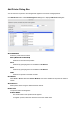
Date and Time of Last Calibration
The date color calibration was last performed appears.
Paper Status button
The Paper Status dialog box appears, allowing you to check the color calibration status of the
selected paper.
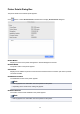
(4) Color Calibration Progress Status Area
Calibration Monitor button
The Calibration Monitor dialog box appears, allowing you to check the color calibration progress
status.
Important
• You cannot check the progress status for the following color calibration.
• Color calibration performed from the operation panel of a printer
• Color calibration of a printer connected by USB (for model that does not support roll paper)
55