
Guide for Device Management Console (Mac)

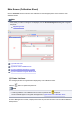




Main Screen (Calibration Sheet)
Use the Calibration sheet to execute color calibration for the managed printer and to check the color
calibration status.
Note
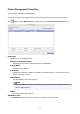
• If the printer you want to manage is not displayed, use the Printer Management dialog box to register
the printer.
Registering Printer
(1) Printer List Area
(2) Execute Color Calibration Area
(3) Color Calibration Execution Log Area
(4) Color Calibration Progress Status Area
(1) Printer List Area
The managed printers are organized and displayed by color calibration status.
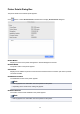
Click the button to update the printer list.
Note
• A warning related to color calibration has occurred on printers with displayed.
The error details appear in the guide message area of "(2) Execute Color Calibration Area".
In Device Management Console, multiple printers that can print with the same color are called calibration-
linked printers.
52