
Guide for Device Management Console (Mac)

Paper Status
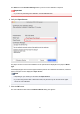
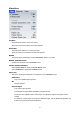
The Paper Status dialog box appears, allowing you to check the color calibration status of the
selected paper.
Update Paper List
Updates the paper list on the Calibration sheet.
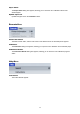
Execute Menu
Printer Information
The Web browser starts, and the main screen of the Remote UI for the selected printer appears.
Calibration
The Calibration dialog box appears, allowing you to perform color calibration for the selected paper.
Calibration Monitor
The Calibration Monitor dialog box appears, allowing you to check the color calibration progress
status.
Help Menu
Instructions
The Online Manual appears.
48