Guide for Device Management Console (Mac)
Manuals
Brands
Canon Manuals
large format printers
imagePROGRAF PRO-6000S
31
32
33
34
35
36
37
38
39
40
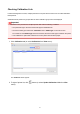
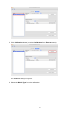
3.
Click
Calibration
button (or select
Calibration
from
Execute
menu).
The
Calibration
dialog box appears.
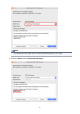
4.
Select the
Media T
ype
for color calibration.
39
1
...
...
37
38
39
40
41
...
...
65