
Guide for Accounting Manager (Windows)



• Show Last Page
Several pages comprise the Job Cost list and this button is enabled except on the last page.
Job Properties
The Job Properties Dialog Box appears.
You can check detailed information for job costs.
Enabled when a job is selected in the Job Cost list.
Filter Job Logs
The Filter Job Log Dialog Box appears.
Select the items to be displayed in the Job Cost list.
Refresh
Acquires and displays the latest job logs.
Acquires the most recent job logs from printers specified in the extraction criteria to update the Job
Cost list.
Tools Menu
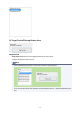
Resident Service Control
The Resident Service Settings Dialog Box appears.
Displays the operating status of the resident service, and controls the start and stop of the resident
service.
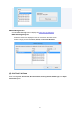
Show Scheduled Acquisition Information
The Check Job Log Acquisition Status Dialog Box appears.
Displays a list of errors that occurred during job log acquisition from the printer.
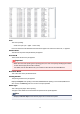
Preferences
The Preferences Dialog Box appears.
Specify your preferences (settings related to displayed content and displayed items) for Accounting
Manager.
Help Menu
Instructions
Displays the Accounting Manager guide.
59