
Guide for Accounting Manager (Windows)

Setting Units Displayed
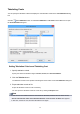
Set the units displayed in Accounting Manager.
To open the Preferences dialog box, select Preferences in the Tools menu.
Setting Units
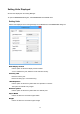
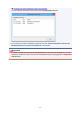
Set the units displayed in Accounting Manager on the Unit sheet in the Preferences dialog box.
Date Display Format
Use this option to select the display format for dates.
"YYYY" indicates the year, "MM" the month and "DD" the day.
Currency Unit
Enter the currency unit.
Enter a text string up to 3 characters long.
1000 Separator
Use this option to select the symbol used as a separator in numbers.
The symbol is inserted every 3 digits.
Decimal Symbol
Use this option to select the symbol used as a decimal point.
Paper Width
Use this to select the unit used for paper width.
Height
Use this to select the unit used for paper length.
32