
Guide for Accounting Manager (Windows)
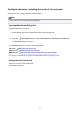

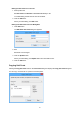

Editing the Unit Cost List in the List
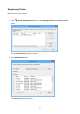
1. Directly edit in list.
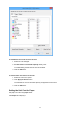
Edit Unit Costs and Allocate in Unit Cost List directly in list.
To enable editing, double-click the item to be edited.
2. Click the OK button.
When you finish editing, click OK button.
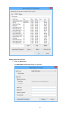
Editing with Edit Other Unit Cost Dialog Box
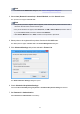
1. Click Edit button.
The Edit Other Unit Cost dialog box appears.
2. Edit.
Edit items to be changed.
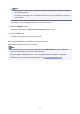
3. Click the Update button.
When you finish editing, click Update button and close Edit screen.
4. Click the OK button.
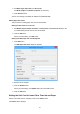
Copying Unit Costs
Clicking the Copy Unit Cost button in the Unit Costs dialog box displays the Copy Unit Cost dialog box.
You can copy unit costs set on a printer to another printer.
30