
Guide for Accounting Manager (Mac)



Advanced Printer Settings Dialog Box
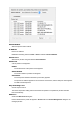
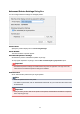
You can configure advance settings for managed printers.
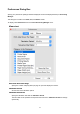
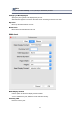
Printer Name
Specify the printer's display name in Accounting Manager.
Serial Number
The serial numbers of printers appear.
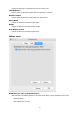
Scheduled Acquisition Settings
Set whether to perform scheduled acquisition of job logs.
To stop regular acquisition of job logs, clear the Run scheduled job log acquisition option.
Important
• Scheduled acquisition settings are enabled when the printer is registered. Job logs cannot be
collected if the scheduled acquisition settings are disabled.
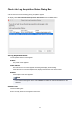
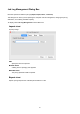
Authentication
Set an authentication password for job log acquisition.
Note
• Enter the password set for the printer.
• For details on passwords, refer to "Administrator Password" for your model from the Home of the
Online Manual.
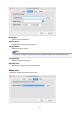
Important
• If the job history is set to hide on the printer control panel, authentication information is required
when acquiring job logs.
82