
Guide for Accounting Manager (Mac)
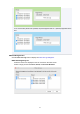
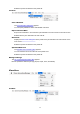

If non-consecutive periods are specified, the period appears with an * (asterisk) appended to the
end.
Filter Job Logs button
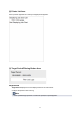
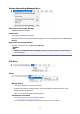
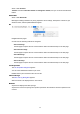
Click the Filter Job Log button to display the Filter Job Log Dialog Box.
Filter Job Log dialog box
Select the items to be displayed in the Job Cost list on the main screen.
Select a range per item for Printer, Period, and Account ID/Owner.
54