
Guide for Accounting Manager (Mac)
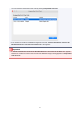


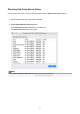


Click the Execute button.
Job logs are saved in the folder specified in Destination.
Importing Job Logs
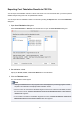
You can import an exported job information file with the Import sheet in the Job Log Management dialog
box.
1. Open Import sheet in Job Log Management dialog box.
Select Manage Job Logs from the File menu.
Click the Import tab in the Job Log Management dialog box.
2.
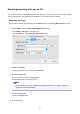
Specify file.
Specify the file to be imported in File.
Click the Browse button to open the dialog box for specifying a file.
3.
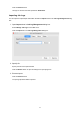
Execute import.
Click the Execute button.
The job log specified in File is imported.
45