
imageCLASS MF7280 Reference Guide



Making Prints Using the Stack Bypass
2-40
2
Basic Operations
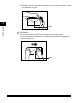
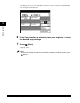
The display returns to the Copy Basic Features screen, and the selected paper
size and type are displayed.
6
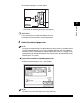
If the Copy function is selected, place your originals ➞ select
the desired copy settings.
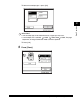
7
Press (Start).
Copying starts.
NOTE
To cancel all settings and return the machine to the Basic Features screen, press
(Reset).