
imageCLASS MF7280 Reference Guide
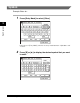
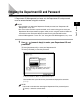


Entering the Department ID and Password
2-22
2
Basic Operations
2
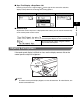
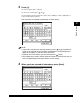
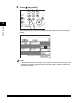
Press (Log In/Out).
The Basic Features screen of the selected function appears on the touch panel
display.
NOTE
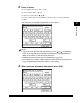
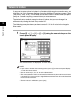
If the Department ID or password that you entered is incorrect, the message <This
number has not been registered. Enter the number again.> appears. Repeat this
procedure from step 1.
789
0
Error Power
PQRS TUV WXYZ
Additional
Functions
Display
Contrast
Processing/
Data
Log In/Out Clear
Start
Stop