Entering Characters from the Touch Panel Display
2-18
2
Basic Operations
Symbols
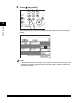
Example: Enter <é>.
1
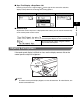
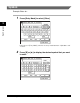
Press [Entry Mode] to select [Other].
Each press of [Entry Mode] switches the entry mode between <Alphabet> and
<Other>.
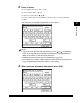
2
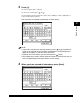
Press [▼] or [▲] to display the desired symbol that you want
to enter.