
imageCLASS MF7280 Reference Guide


Using the Touch Panel Display
2-14
2
Basic Operations
Touch Panel Key Display
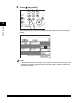
When you press a key on the touch panel display, that key is highlighted, and the
corresponding mode is set. When you set certain modes, the characters on some
keys may become grayed out. You cannot press keys that are grayed out. This
means that you cannot set these modes in combination with the presently set
mode.
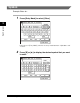
■ Mode Setting Keys
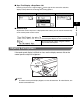
■ Keys That Indicate When a Mode Is Turned On or Off
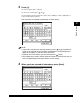
Keys with a right triangle ( ) indicate that those keys have additional screens to set their
functions. If you press a key that does not have a right triangle ( ), it turns that mode on
or off.
Keys with a black square ( ) in the lower right corner, that appear on screens for storing
settings, already have settings stored in them.
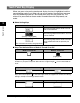
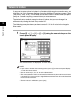
State of Keys Description
The Two-page Separation mode is not set,
and can be selected.
The Two-page Separation mode is set, and
can be selected.
(The key is highlighted)
The Two-page Separation mode cannot be
set in combination with the presently set
mode.
(The characters on the key are grayed out.)
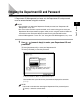
Mode Is Turned Off Mode Is Turned On
(Highlighted)
Keys That Display Additional Settings Keys That Turn Modes On/Off
Settings Are Stored No Settings Are Stored