
imageCLASS MF7280 Reference Guide






Using the Touch Panel Display
2-13
2
Basic Operations
Using the Touch Panel Display
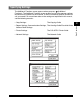
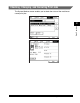
This section describes the keys that are frequently used on the touch panel display.
Information on how to adjust the brightness of the touch panel display is also
provided.
CAUTION
Press the touch panel display keys gently with your fingers. Do not press the
touch panel display with a pencil, ballpoint pen, or other sharp objects that can
scratch the surface of the touch panel display. Doing so may damage the touch
panel display.
NOTE
Before using the touch panel display, peel off the protective film from the display.
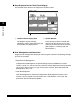
Frequently Used Keys
The keys that are used frequently on the touch panel display are:
Press to cancel the mode that you are currently setting, or a
mode that has already been set, on screens other than the
Additional Functions screen. Also, press to close the current
mode's setting screen, and keep the original settings set from
the Additional Functions screen.
Press to confirm the current settings and proceed to the next
step in the procedure.
Press to go back to the previous step in the procedure, without
saving the current settings.
Press to close the current screen.
Press to confirm the current settings of a mode.