
imageCLASS MF7280 Reference Guide





Restricting Access to Destinations
5-37
5
System Manager Settings
Restricting PC Faxing
When Allow Fax Driver TX is set to 'On', you can send faxes from computers using
the fax driver.
NOTE
The default setting is 'On'.
1
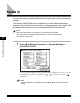
Press (Additional Functions) ➞ [System Settings].
If necessary, see the screen shot in step 1 of "Specifying the System Manager
Settings," on p. 5-2.
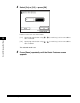
If the System Manager ID and System Password have been set, enter the System
Manager ID and System Password using - (numeric keys) ➞ press
(Log In/Out).
2
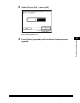
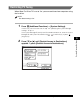
Press [▼] or [▲] until [Restrict Access to Destinations]
appears ➞ press [Restrict Access to Destinations].