
imageCLASS MF7280 Reference Guide





Restricting Access to Destinations
5-36
5
System Manager Settings
4
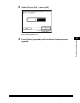
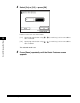
Select [On] or [Off] ➞ press [OK]
Details of each item are shown below.
The selected mode is set.
5
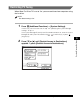
Press [Done] repeatedly until the Basic Features screen
appears.
[On]: Specifying a destination using - (numeric keys) or the new address
tab is restricted.
[Off]: Specifying a destination using - (numeric keys) or the new address
tab is enabled.