
imageCLASS MF7280 Reference Guide





Remote UI
5-32
5
System Manager Settings
Remote UI
You can set whether to enable the Remote UI to operate the machine and change
settings.
The imageCLASS MF7280 comes equipped with a direct Ethernet connection
interface. Once the Ethernet interface port is configured properly, the imageCLASS
MF7280 can be controlled and set up through the Remote UI and network.
NOTE
•
For more information on the Remote UI, see the Remote UI Guide.
•
For instructions on configuring the Ethernet port, see the Network Guide.
•
The default setting is 'On'.
1
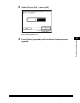
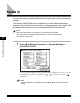
Press (Additional Functions) ➞ [System Settings] ➞
[Remote UI On/Off].
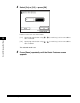
If the System Manager ID and System Password have been set, enter the System
Manager ID and System Password using - (numeric keys) ➞ press
(Log In/Out).
NOTE
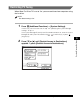
If the desired setting is not displayed, press [
▼
] or [
▲
] to scroll to the desired
setting.