imageCLASS MF7280 Reference Guide
Manuals
Brands
Canon Manuals
Copier
imageCLASS MF7280
201
202
203
204
205
206
207
208
209
210
Managing User IDs
5-31
5
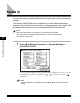
System Manager Settings
2
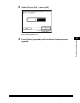
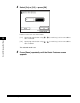
Select [On] or [Off]
➞
press [OK].
The selected mode is set.
3
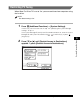
Press [Done] repeatedl
y until the Basic Fea
tures screen
appears
.
1
...
...
199
200
201
202
203
...
...
301