
imageCLASS MF7280 Reference Guide




Department ID Management
5-27
5
System Manager Settings
2
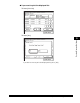
Press [On].
3
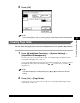
Select [On] or [Off] ➞ press [OK].
Details of each item are shown below.
NOTE
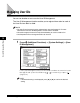
If you selected [On] in step 2, pressing [OK] activates Department ID Management.
[On]: The machine accepts print jobs from computers that do not
correspond with a registered Department ID.
[Off]: The machine does not accept print jobs from computers that do not
correspond with a registered Department ID, and you must enter a
Department ID and password to operate the machine.