imageCLASS MF7280 Reference Guide
Manuals
Brands
Canon Manuals
Copier
imageCLASS MF7280
181
182
183
184
185
186
187
188
189
190
Department ID Management
5-18
5
System Manager Settings
4
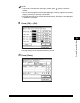
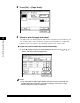
Press [Y
es].
If you do not want to erase the selected
Department ID and all of its settings,
press [No].
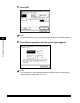
The selected Depar
tment ID and all of its settings are erased.
5
Press [Done].
1
...
...
186
187
188
189
190
...
...
301