
imageCLASS MF7280 Reference Guide





Department ID Management
5-12
5
System Manager Settings
11
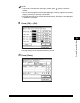
Press [OK].
NOTE
If you selected [On] in step 2, pressing [OK] activates Department ID Management.
12
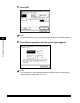
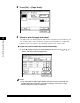
Press [Done] repeatedly until the screen below appears.
NOTE
For instructions on entering the Department ID and password, see "Entering the
Department ID and Password," on p. 2-21.