
imageCLASS MF7280 Reference Guide






Checking Job Status
4-6
4
Checking Job and Device Status
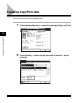
● If [Device] is selected:
❑
Check the current machine status.
NOTE
The jobs may not be accepted even if [Avail. Memory] has not reached zero
percent. In this case, print or delete jobs stored in the memory and try again.
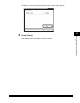
❑ Press [Consumable] to display the status of toner.
The status of the device and the current
job are displayed here.
The remaining amount of available system memory
is displayed in percentage.
The paper supply, and the paper type
and paper size loaded in the paper drawers.
This area displays recovery procedures for
problems, such as clearing a paper jam or
replacing the cartridge.
The status of toner is displayed.