
imageCLASS MF7280 Reference Guide






Checking Job Status
4-5
4
Checking Job and Device Status
NOTE
•
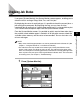
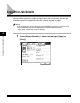
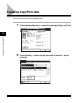
The table below describes the icons that are displayed on the status and log
screens.
•
The most recent 100 copy, fax, or print jobs, and a total of the most recent 100
send and receive jobs are displayed in the log.
Icon (Job Status) Description
Executing
Waiting
Canceling
Icon (Job Type) Description
Copy Job
Fax Job
IFax Job
E-mail Job
Print Job
Report Print Job