
imageCLASS MF7280 Reference Guide






Checking the Serial Number
4-2
4
Checking Job and Device Status
Checking the Serial Number
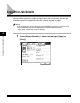
You can check the machine's serial number.
1
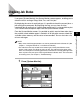
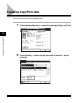
Press (Serial No.) on the control panel.
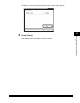
The serial number of the machine is shown on the touch panel display.
2
Press [Done].
The display returns to the Basic Features screen.
123
789
456
JKL MNO
GHI
PQRS
ABC
TUV
DEF
WXYZ
ON/OFF
Serial No.
JKL MNO