
imageCLASS MF7280 Reference Guide




Cleaning and Adjusting the Machine
3-64
3
Customizing Settings
Setting the Bond Special Fixing Mode
You can specify to perform special fixing for bond paper.
NOTE
The default setting is 'Off'.
1
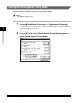
Press (Additional Functions) ➞ [Adjustment/Cleaning].
If necessary, see the screen shot in step 1 of "Improving Print Quality and Density
(Special Mode M)," on p. 3-57.
2
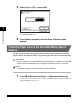
Press [▼] or [▲] until [Bond Special Fixing Mode] appears ➞
press [Bond Special Fixing Mode].