
imageCLASS MF7280 Reference Guide




Cleaning and Adjusting the Machine
3-63
3
Customizing Settings
3
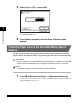
Select [On] or [Off] ➞ press [OK].
Details of each item are shown below:
The selected mode is set.
4
Press [Done] repeatedly until the Basic Features screen
appears.
[On]: Help the machine keep the copy speed when printing on multiple sheets
of the lightweight paper (18 lb bond (64 g/m
2
)).
[Off]: This mode is for printing on multiple sheets of the paper (18 lb to 22 lb
bond (65 g/m
2
to 80 g/m
2
)). When printing on multiple sheets of the
lightweight paper (18 lb bond (64 g/m
2
)) with this setting, the copy speed
may decline.