
imageCLASS MF7280 Reference Guide






Cleaning and Adjusting the Machine
3-57
3
Customizing Settings
Improving Print Quality and Density (Special Mode M)
If print quality deteriorates or an irregularity of the print density appears, the
transcription output may not work adequately. Use Special Mode M to improve the
print quality or irregular print density.
NOTE
The default setting is 'Normal'.
1
Press (Additional Functions) ➞ [Adjustment/Cleaning].
2
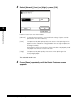
Press [▼] or [▲] until [Special Mode M] appears ➞ press
[Special Mode M].