
imageCLASS MF7280 Reference Guide





Specifying Common Settings
3-47
3
Customizing Settings
3
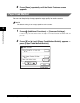
Press [Yes].
To cancel initializing the Common Settings, press [No].
The message <Initialized.> appears for approximately two seconds on the touch
panel display.
The Common Settings are returned to their defaults.
4
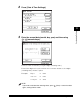
Press [Done] repeatedly until the Basic Features screen
appears.