
imageCLASS MF7280 Reference Guide





Specifying Common Settings
3-43
3
Customizing Settings
Reversing the Contrast of the Touch Panel Display
You can reverse the contrast on the touch panel display for better viewing. The
Reversed Display mode reverses the light and dark areas on the touch panel
display. If you find it hard to read what is being shown on the touch panel display, try
using this mode.
NOTE
The default setting is 'Off'.
1
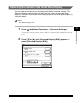
Press (Additional Functions) ➞ [Common Settings].
If necessary, see the screen shot in step 1 of "Initial Function at Power ON," on p.
3-15.
2
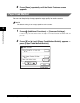
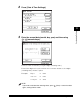
Press [▼] or [▲] until [Reversed Display (B/W)] appears ➞
press [Reversed Display (B/W)].