
imageCLASS MF7280 Reference Guide





Specifying Common Settings
3-42
3
Customizing Settings
2
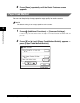
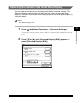
Press [▼] or [▲] until [Language Switch] appears ➞ press
[Language Switch].
3
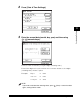
Press [On] ➞ select the desired language ➞ press [OK].
If the desired language is not displayed, press [▼] or [▲].
If you do not want to change the display language, press [Off].
The touch panel display language changes to the selected language.
IMPORTANT
Some messages may not be displayed properly in the language that you just
selected. If this happens, restart the machine (turn the machine OFF, then back
ON).