
imageCLASS MF7280 Reference Guide





Specifying Common Settings
3-41
3
Customizing Settings
3
Set the priority of copy speed or copy quality for each
cassette ➞ press [OK].
4
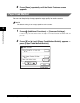
Press [Done] repeatedly until the Basic Features screen
appears.
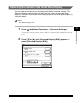
Changing the Language Shown on the Touch Panel Display
You can select the language displayed on the touch panel display.
NOTE
•
If Language Switch is set to 'On', some characters are restricted and cannot be entered.
To enter all characters, set Language Switch to 'Off'.
•
Even if Language Switch is set to 'On', there are some languages that cannot be
displayed.
•
The default setting is 'Off'.
1
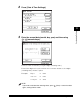
Press (Additional Functions) ➞ [Common Settings].
If necessary, see the screen shot in step 1 of "Initial Function at Power ON," on p.
3-15.