
imageCLASS MF7280 Reference Guide





Specifying Common Settings
3-40
3
Customizing Settings
6
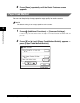
Press [Done] repeatedly until the Basic Features screen
appears.
Paper Feed Method
You can set the priority of copy speed or copy quality for each cassette.
NOTE
The default setting is set to copy speed for each cassette.
1
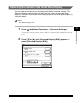
Press (Additional Functions) ➞ [Common Settings].
If necessary, see the screen shots in steps 1 of "Initial Function at Power ON," on
p. 3-15.
2
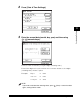
Press [▼] or [▲] until [Paper Feed Method Switch] appears ➞
press [Paper Feed Method Switch].