
imageCLASS MF7280 Reference Guide




Specifying Common Settings
3-29
3
Customizing Settings
Identifying the Type of Paper in a Paper Source
This setting enables you to specify the paper type loaded in each paper source.
Once you specify this information, icons indicating the type of paper loaded in each
paper source appear on the paper selection screen.
IMPORTANT
Be sure to correctly set the paper type. If the type of paper is not set correctly, it could
adversely affect the quality of the image. Moreover, the fixing unit may become dirty and
require a service repair, or the paper could jam.
1
Press (Additional Functions) ➞ [Common Settings].
If necessary, see the screen shot in step 1 of "Initial Function at Power ON," on
p. 3-15.
2
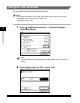
Press [▼] or [▲] until [Register Paper Type] appears ➞ press
[Register Paper Type].