
imageCLASS MF7280 Reference Guide




Specifying Common Settings
3-22
3
Customizing Settings
Setting the Toner Save Mode
You can select the toner consumption for printing.
NOTE
•
If the Toner Save mode is set to 'High', print quality may be affected. If you notice
degradation in print quality, set this mode to 'Off'.
•
The default setting is 'Off'.
1
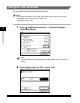
Press (Additional Functions) ➞ [Common Settings] ➞
[Toner Save Mode].
NOTE
If the desired setting is not displayed, press [
▼
] or [
▲
] to scroll to the desired
setting.
2
Select [High], [Low], or [Off] ➞ press [OK].