
imageCLASS MF7280 Reference Guide




Specifying Common Settings
3-20
3
Customizing Settings
Tone Settings
You can set whether to sound audible tones. The following tones sound at the
following times:
NOTE
The default setting is 'On' for Entry Tone, Error Tone, Print Done Tone, and Scan Done
Tone, and 'Off' for Send Done Tone and Receive Done Tone.
1
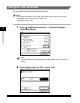
Press (Additional Functions) ➞ [Common Settings] ➞
[Audible Tones].
NOTE
If the desired setting is not displayed, press [
▼
] or [
▲
] to scroll to the desired
setting.
• Entry Tone: When pressing keys on the control panel or keys on the
touch panel display
• Error Tone: When a malfunction occurs (e.g., paper jam or
operational error)
• Send Done Tone: After a transmission finishes
• Receive Done Tone: After a document has been received
• Print Done Tone: When printing is complete
• Scan Done Tone: When scanning is complete