
imageCLASS MF7280 Reference Guide




x
Keys Used in This Manual
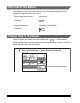
The following symbols and key names are a few examples of how keys to be
pressed are represented in this manual:
Displays Used in This Manual
The keys which you should press are marked with a , as shown below.
When multiple keys can be pressed on the touch panel display, all keys are marked.
Select the keys which suit your needs.
• Touch Panel Display Keys: [Key Name]
Examples: [Cancel]
[Done]
• Control Panel Keys: <Key icon> + (Key Name)
Examples:
(Start)
(Stop)
Press this key for operation.
Place your originals ➞ press [Special Features].