
imageCLASS MF7280 Reference Guide




Additional Functions Settings Table
3-11
3
Customizing Settings
■ System Settings Table Continued
*1 Indicates the default setting.
*2 See the Facsimile Guide.
*3 See the Sending Guide.
*5 See the Remote UI Guide.
IMPORTANT
•
When User ID Management is set to 'On', users whose user type is registered as "User"
(end users) cannot change the System Manager Settings even if there are no System
Manager ID and System Password set.
•
If User ID Management is set to 'On', users whose user type is registered as
"Administrator" can change the System Manager Settings by entering the System
Manager ID and System Password, or registering the System Manager ID and System
Password as their user information in advance.
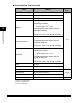
Item Settings
Applicable
Page
Communications
Settings
*2, *3
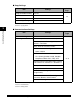
E-mail/I-Fax
Maximum TX Data Size: 0 to 99 MB, in one
MB increments, 3 MB
*1
Divided TX over Max.Data Size: On, Off
*1
Default Subject: 40 characters maximum
Fax Settings
Send Start Speed: 33600 bps
*1
, 14400 bps,
9600 bps, 7200 bps, 4800 bps, 2400 bps
Receive Start Speed: 33600 bps
*1
, 14400
bps, 9600 bps, 7200 bps, 4800 bps, 2400
bps
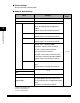
Memory Lock Settings
On: Option
Off
*1
Remote UI On/Off
On
*1
, Off
p. 5-32 *5
Restrict Access to
Destinations
Restrict New Addresses: On, Off
*1
Allow Fax Driver TX: On
*1
, Off
p. 5-34
License Registration This setting is not functional in this model. -
Display Dept. ID/User
Name
On
*1
, Off
p. 5-43
Job Log Display
On
*1
, Off
p. 5-39
Use USB Device
On
*1
, Off
p. 5-41