
imageCLASS MF6500 Series Basic Guide


11-13
Maintenance
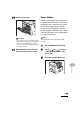
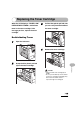
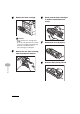
4 Remove the toner cartridge.
CAUTION
– Always hold the toner cartridge by its
handle.
– Do not open the drum protective shutter
on the toner cartridge. Print quality may
deteriorate if the drum surface is
exposed to light or is damaged.
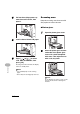
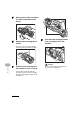
5 Remove the new toner cartridge
from the protective material.
6 Gently rock the toner cartridge 5
or 6 times to distribute toner
evenly.
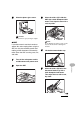
7 Remove the seals (2 places).
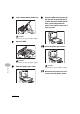
8 Raise the blue plastic pull tab.