
imageCLASS MF6500 Series Basic Guide





4-31
Sending Faxes (MF6550/MF6560/MF6580 Only)
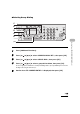
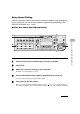
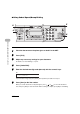
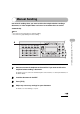
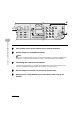
6 Press [ ] or [ ] to display a speed dial number.
7 Press [Clear].
8 Repeat steps 6 and 7 until all speed dial numbers are deleted, then press
[OK].
9 Press [Stop] to return to standby mode.
NOTE
When deleting all numbers, the registered name is cleared automatically.
04
08
2
Address
Book
Paper
Select
COPY FAX SCAN
Image Quality Density Enlarge/Reduce
OK
Two-Sided
System
Monitor
View
Settings
Reset Collate
GHI
@./
PQRS
Tone
JKL
ABC
TUV
MNO
DEF
Clear ON/OFF
Stop
Start
Processing/
Data
Error
Power
WXYZ
SYMBOLS
Additional
Functions
2 on 1
Frame
Erase
ded
al
1
4
7
2
5
8
0#
3
C
6
9
[OK]
6
7
9