
imageCLASS MF6500 Series Basic Guide




4-37
Sending Faxes (MF6550/MF6560/MF6580 Only)
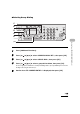
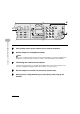
4 Adjust any necessary settings for your document.
For details, see “Scan Settings,” on p. 4-3.
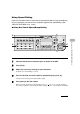
5 Dial the recipient’s fax/telephone number.
If you select delayed transmission or sequential broadcasting, memory sending is automatically
selected.
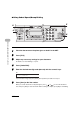
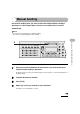
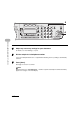
6 Press [Start].
Each page is sent as it is scanned.
NOTE
During transmission, <TRANSMITTING...> and the recipient’s fax/telephone number alternately
appear as messages on the LCD display.
4
8
2
Address
Book
Paper
Select
COPY FAX SCAN
Image Quality Density Enlarge/Reduce
OK
Two-Sided
System
Monitor
View
Settings
Reset Collate
GHI
@./
PQRS
Tone
JKL
ABC
TUV
MNO
DEF
Clear ON/OFF
Stop
Start
Processing/
Data
Error
Power
WXYZ
SYMBOLS
Additional
Functions
2 on 1
Frame
Erase
ed
l
1
4
7
2
5
8
0#
3
C
6
9
5
6