
imageCLASS MF6500 Series Basic Guide




1-16
Before Using the Machine
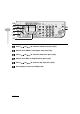
10 Confirm that <DAY> is displayed, then press [OK].
11 Press [ ] or [ ] to select the day, then press [OK].
12 Confirm that <END DATE/TIME> is displayed, then press [OK].
13 Confirm that <MONTH> is displayed, then press [OK].
04
08
2
Address
Book
Paper
Select
COPY FAX SCAN
Image Quality Density Enlarge/Reduce
OK
Two-Sided
System
Monitor
View
Settings
Reset Collate
GHI
@./
PQRS
Tone
JKL
ABC
TUV
MNO
DEF
Clear ON/OFF
Stop
Start
Processing/
Data
Error
Power
WXYZ
SYMBOLS
Additional
Functions
2 on 1
Frame
Erase
ded
al
1
4
7
2
5
8
0#
3
C
6
9
[OK]
10
12
11
13