
imageCLASS MF6500 Series Basic Guide





3-5
Print Media
Loading Paper
To load paper in the paper cassette, see “Set Up the Machine,” in the Starter
Guide.
In the Multi-Purpose Tray (e.g., Envelopes)
If you are making prints on transparencies, labels, nonstandard-sized paper, or
envelopes, load them into the multi-purpose tray.
● Use standard envelopes with diagonal seams and flaps.
● To prevent jams, do not use the following:
– Envelopes with windows, holes, perforations, cutouts, or double flaps
– Envelopes made with special coated paper or deeply embossed paper
– Envelopes with peel-off sealing strips
– Envelopes with letters enclosed
● Make sure to set the correct envelope size in the printer driver. (See online help.)
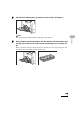
1 Open the multi-purpose tray.