
imageCLASS MF6500 Series Basic Guide



13-20
Machine Settings
3. GROUP DIAL Registers the information on group dialing. Up to 122
destinations can be registered. (See “Registering Group
Dialing,” on p. 4-23.)
1. TEL NUMBER ENTRY Registers the recipient fax numbers by specifying the one-
touch speed dialing keys or coded speed dialing codes.
2. NAME Registers the group name (max. 16 characters, including
spaces).
PRINTER SETTINGS
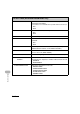
Setting Item Description
1. DEFAULT PAPERSIZE Sets the default paper size when no paper source is
specified.
(LTR, STMT, EXECUTIV, ISO-B5, ISO-C5, COM10,
MONARCH, DL, A4, B5, A5, LGL)
2. DEFAULT PAPERTYPE Sets the default paper type for print jobs. This machine has
internally defined optimal print modes for each specified
paper type.
(PLAIN PAPER, COLOR, RECYCLED, HEAVY PAPER 1,
HEAVY PAPER 2, HEAVY PAPER 3, BOND, 3HOLE
PUNCH PAPER, TRANSPARENCY, LABELS, ENVELOPE)
3. COPIES Sets the number of documents printed. (1-999)
4. 2-SIDED PRINTING Sets whether to activate two-sided printing.
–OFF
–ON
ADDRESS BOOK SET. (MF6550/MF6560/MF6580 Only)