
imageCLASS MF6500 Series Basic Guide





4-32
Sending Faxes (MF6550/MF6560/MF6580 Only)
Using Speed Dialing
Follow the procedure below to send faxes to registered recipients using speed dialing.
For easy reference, print out the list of recipients registered for speed dialing. (See
“REPORT SETTINGS,” on p. 13-28.)
● Using One-Touch Speed/Group Dialing
1 Place the document on the platen glass or load it in the ADF.
2 Press [FAX].
3 Adjust any necessary settings for your document.
For details, see “Scan Settings,” on p. 4-3.
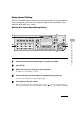
4 Press the desired one-touch speed or group dialing key (01 to 23).
If you pressed a wrong key, press [Clear] and try again.
5 Press [Start] to dial the number.
When you set the documents on the platen glass, press [ ] or [ ] to select the document
size, then press [Start] for each document. When scanning is complete, press [OK] to start dialing.
Direct TX
01 02 03 04
05 06 07 08
09 10 11 12
Address
Book
Paper
Select
COPY FAX SCAN
Image Quality Density Enlarge/Reduce
OK
Two-Sided
System
Monitor
View
Settin
Reset Colla
Additional
Functions
2 on
Frame
E
Coded
DialRedialHookPause
Clear ON/OFF
Stop
Start
rocessing/
Data
Error
Power
C
4
2
5