
imageCLASS MF6500 Series Basic Guide


4-23
Sending Faxes (MF6550/MF6560/MF6580 Only)
● Registering Group Dialing
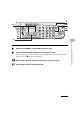
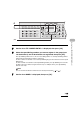
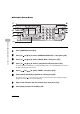
1 Press [Additional Functions].
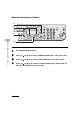
2 Press [ ] or [ ] to select <ADDRESS BOOK SET.>, then press [OK].
3 Press [ ] or [ ] to select <GROUP DIAL>, then press [OK].
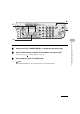
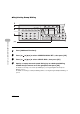
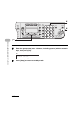
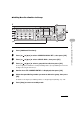
4 Specify an empty one-touch speed dialing key or coded speed dialing
number that you want to set as the group dial, then press [OK].
For details on selecting a one-touch speed dialing key, see “Registering One-Touch Speed
Dialing,” on p. 4-7.
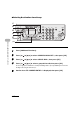
For details on selecting a coded speed dialing number, see “Registering Coded Speed Dialing,” on
p. 4-15.
Direct TX
01 02 03 04
05 06 07 08
09 10 11 12
Address
Book
Paper
Select
COPY FAX SCAN
Image Quality Density Enlarge/Reduce
OK
Two-Sided
System
Monitor
View
Settings
Reset Collate
GHI
@./
PQRS
To
Additional
Functions
2 on 1
Frame
Erase
Coded
DialRedialHookPause
1
4
7
[OK]
1
2
4
3