
imageCLASS MF6500 Series Basic Guide




8-2
Scanning
Set Scan Function Start Scanning
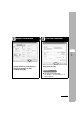
Start MF Toolbox, then set the
scanning format.
The mark will be displayed above the button you select.
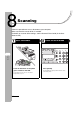
Press [Start].
What if...
● You want to cancel scanning:
Press [Stop] on the operation panel,
then click [OK] on the computer screen.
3
4
View
Settings
Collate
GHI
@./
PQRS
Tone
JKL
ABC
TUV
MNO
DEF
Clear ON/OFF
Stop
Start
Processing/
Data
Error
Power
WXYZ
SYMBOLS
l
2 on 1
Frame
Erase
1
4
7
2
5
8
0#
3
C
6
9