
imageCLASS MF4270 Basic Operation Guide

Copying
3-6
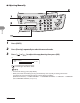
Adjusting Manually
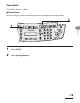
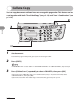
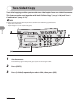
1 Press [COPY].
2 Press [Density] repeatedly to select the manual mode.
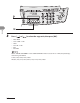
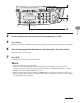
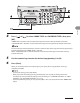
3 Press [ ] or [ ] to adjust the copy density, then press [OK].
Ex.
D E N S I T Y
- L T D K +
[ ]: to make dark documents lighter
[ ]: to make light documents darker
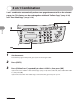
To cancel all settings, press [Stop/Reset].
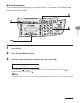
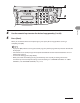
When you switch the mode by pressing the mode keys such as [FAX], all settings will be also
canceled. If you want to keep the settings, set the density as follows:
[Additional Functions] <COPY SETTINGS> <STANDARD SETTINGS> <DENSITY> <MANUAL>
(See “STANDARD SETTINGS,” on p. 12-9.)
●
–
–