
imageCLASS MF4270 Basic Operation Guide


3-5
Copying
Density
You can adjust the density to the most appropriate level for the document either
automatically or manually. The default setting is <MANUAL> (5).
Adjusting Automatically
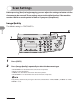
1 Press [COPY].
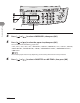
2 Press [Density] repeatedly to select <AUTO>, then press [OK].
The image quality is automatically set to <TEXT>.
●