
imageCLASS MF4270 Basic Operation Guide

Maintenance
10-16
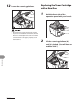
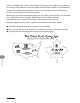
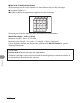
Do not open the drum protective shutter (A).
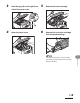
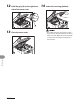
7 Gently rock the toner cartridge
several times to evenly distribute
toner inside.
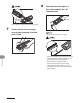
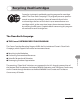
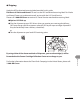
8 Place the toner cartridge on a
flat surface and pull the seal
completely out.
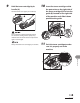
Do not pull the seal out at an angle.
If toner is adhered on the removed seal, be
careful that your hands or clothes do not
get dirty from touching the toner.
If your hands or clothes get dirty
from touching the toner, wash them
immediately in cold water. Do not use
hot water. If you do, the toner may be set
permanently.
–
–